
Electronic Team uses cookies to personalize your experience on our website. By continuing to use this site, you agree to our cookie policy. Click here to learn more.
USB Network Gate is a reliable software that will assist you in sharing local USB devices with multiple remote users across a local network and the Internet. The software is designed to provide secure communications over TCP/IP and will come in handy if you need to connect to a remote USB peripheral from Windows, Mac, or Linux computer.
 Also available on:

USB Network Gate offers a number of handy features that make sharing USB over the network an easy and quick process. Now any user can print, scan, access USB security dongles and USB hubs over Ethernet from any computer in your office, no matter how big it is and how many floors it occupies.

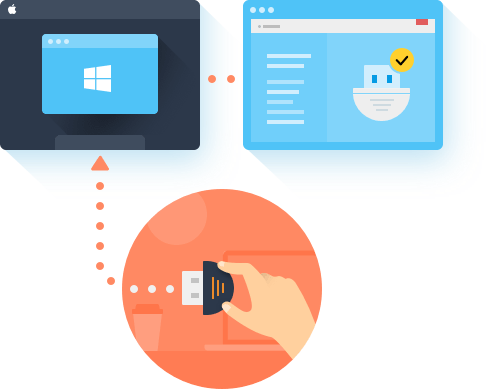
USB Network Gate is an excellent solution for users who often connect to remote computers via the Remote Desktop Protocol. The program lets access any local USB device while working in a remote desktop session.

When the USB redirection cannot be done via Microsoft RDP, e.g. the client machines do not run Windows or ICA client software is built into a thin client, USB Network Gate will still be able to redirect a USB device with the help of fully supported Citrix ICA protocol.
If you need to forward USB devices from your local Linux machine to a remote Windows client, USB Network Gate will help you do this fast and safely. The software supports native RemoteFX USB redirection (MS-RDPEUSB). You won’t even need to install USB Network Gate on the remote Windows PC.
Share USB devices over RDPWindows does not provide an efficient method of limiting the use of connected USB devices. The OS defaults to enabling any user on a Windows computer to access all of the USB devices connected to the machine. When a machine is hosting multiple RDP sessions or being shared by many users, this can be a problem. USB Network Gate is a software application that can solve this problem by allowing you to implement USB device isolation.

Isolate a USB device by giving exclusive access to a specific Remote Desktop session. When using this option, you can make sure that a particular RDP session can always access the USB devices that it needs without worrying that another session is using the peripheral.
One option offered by the software is to isolate a specific USB device from other Windows accounts. This can be helpful when a shared machine is switching between multiple accounts but you want to limit the use of a peripheral to a single user.
Note: Extensive testing has been performed to ensure USB device isolation compatibility with removable drives, cameras, sound cards, and many other peripherals. USB Network Gate supports Windows 8 or later versions and any machine running Windows Server.
Learn more about USB isolation



Architectures: x86, x64, ARM64 Run on macOS 10.14 or newer CentOS 7-8, Ubuntu 14.04-21.04 Android 5.0 and above